
Snap Finance
Snap FinanceShopping
4.8821.00 Reviews
- Version
- 2.2.11632
- Installs
- 500.00K
- Age Rating
- Everyone
Screenshots
Our Review of Snap Finance
 Analysis by Appyee
Buying something important can become stressful when the full price does not fit comfortably into this week’s budget. Snap Finance approaches that problem from the shopping side, offering a way to apply for financing while you are deciding what to purchase. I found the app most useful when I wanted to keep the shopping process in one place instead of moving between a retailer, a browser, and separate finance paperwork.
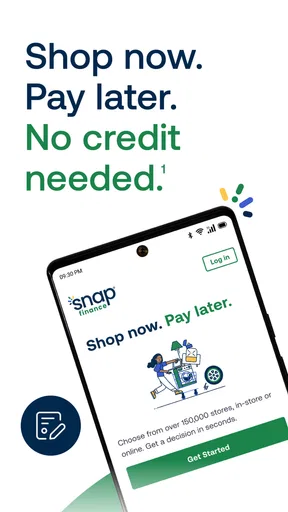
The basic idea is easy to understand: shop now and pay later, with no credit needed as part of the app’s central pitch. That does not make every purchase automatically affordable, and it does not remove the need to read the repayment terms carefully. What it does provide is a focused mobile route into Snap Finance’s shopping and financing experience.
It is a free shopping app from Snap Finance, rated for Everyone. The app was released on March 29, 2023, and its current version is 2.2.11632. It runs on Android 7.0 or later, so people using older but still functional Android phones may not need to upgrade just to try it.
How Snap Finance feels during everyday shopping
I’d use this section to look at the point where Snap Finance’s shopping and financing purpose becomes useful in an ordinary purchase, rather than treating it like a general product-browsing app. I’ll also focus on a simple habit that helps keep convenience from taking over the decision: setting a spending limit before exploring payment options.
Getting from curiosity to a useful decision
My first impression is that this is not an app I would open for casual browsing in the same way I might browse a general marketplace. Its value appears when I already have a shopping goal and want to understand whether financing can help me complete it. That makes the experience more purposeful: I would use it before committing to a purchase, not as a replacement for every shopping app on my phone.
The perceived speed is best judged by how quickly the app lets me move through that decision-making process. Opening a shopping and finance app normally feels lighter than handling the same task through several unrelated services, because the purpose is narrower. Still, speed is not only about screens appearing quickly. A financing journey may involve entering personal information, reviewing an offer, and checking repayment details, so the meaningful wait is often connected to the decision itself rather than the app interface.
I would not treat a fast-loading screen as permission to rush. The most important part of the experience is slowing down when the app presents financial details. A quick application is useful only if I also understand the amount I may repay, the timing, and whether the purchase fits my budget. In that sense, Snap Finance is more valuable as a decision tool than as a shortcut.
A realistic use case: replacing an essential item
Imagine a household appliance stops working just before payday. I might use Snap Finance to explore whether I can handle the replacement through financing rather than postponing the purchase. The practical advantage is that I can investigate the option from my phone while comparing the item’s need against my available cash.
My advice in that situation would be to write down the full purchase cost first, then compare it with the repayment obligation shown in the app. I would also check whether waiting, buying a less expensive model, or using savings is safer. The app can make access more convenient, but convenience should not decide the budget for me.
This is one of the less obvious trade-offs: financing can solve a timing problem without solving an affordability problem. Snap Finance is helpful when the timing of payment is the main obstacle and the repayment plan remains manageable. It is a poor choice when the purchase would already be difficult to afford even after spreading the cost.
What happens during heavier use
Heavy use here is less about gaming-style workload and more about repeated shopping decisions. Someone may open the app several times while comparing products, checking an application, revisiting terms, or returning to a purchase later. That pattern is more demanding psychologically than technically, because the user must keep track of changing choices and avoid treating an available financing route as a reason to spend more.
I would use a simple workflow: decide on the maximum total cost before opening the app, review the financing information once, and save the important details in my own notes. That prevents repeated visits from turning into a series of impulsive decisions. It also makes comparison with a normal debit or credit purchase much clearer.
Resource demands are difficult to judge from the app’s purpose alone, but its focused shopping role suggests that it should not need the kind of sustained processing associated with games, video editors, or navigation tools. On an older Android phone, however, the experience can still depend on available storage, background activity, and the condition of the device. If the phone is already struggling with ordinary apps, I would not assume this one will feel perfectly smooth simply because it is a finance tool.
Stability matters more than visual polish
For a financing app, reliability is more important than decorative design. I care about whether I can return to the process, review what I am doing, and avoid uncertainty if something interrupts me. A shopping app can be mildly annoying when it needs to reload a product page. A finance app becomes more concerning if an interruption leaves me unsure whether an application or purchase step was completed.
My practical habit would be to avoid tapping repeatedly when a screen takes longer than expected. I would wait, check for a confirmation, and review the account or application state before trying again. This is a small but important recovery technique for any app handling a transaction or financing request. It reduces the chance of duplicate actions and keeps me from guessing.
Network quality also matters. A phone with a weak connection, aggressive battery saving, or limited background activity may make any online shopping process feel less dependable. If the app appears stuck, I would first check the connection and reopen it carefully rather than immediately submitting the same information again.
That recovery mindset is one of the strongest reasons to treat Snap Finance differently from a simple product catalog. The app may be free to install, but the decisions made through it have financial consequences. I would keep screenshots or written notes of important terms for my own records, while remembering that a screenshot is not a substitute for reading the complete agreement.
Older phones and device constraints
The Android requirement is relatively approachable: the app supports Android 7.0 and later. That is useful for people who keep a phone for several years and do not want a finance app to force an immediate device replacement. It also makes the app more accessible than products limited to newer operating systems.
Compatibility is not the same as identical performance, though. A supported older phone may have less memory, a slower processor, or a battery that drains quickly. Those limitations can show up as delayed screen changes or the app being removed from memory when I switch to another shopping app. I would make sure the phone has enough free space, close unnecessary apps, and keep the operating system in a stable condition before applying.
I would also avoid using a public or shared device for a financing task. A personal phone with a screen lock is a more sensible environment, particularly when entering financial or identity information. This is not a special feature of Snap Finance; it is simply the responsible way to use a finance-related shopping service.
People using iPhones should check the current Apple store requirements before installing, because the Android minimum version does not describe iOS compatibility. For Android users, the stated minimum gives a clear starting point, but the actual feel will still vary according to the phone’s age and condition.
How it compares with ordinary alternatives
The usual alternative is paying directly with a debit card, cash, or savings. That route is simpler because there is no financing application or repayment schedule to manage. If I already have enough money and the purchase is not urgent, paying in full is usually easier to understand and less likely to create a future obligation.
A credit card can offer broader spending flexibility, but it may involve interest, credit requirements, or a separate account that I do not want to use. Snap Finance’s appeal is aimed at shoppers who want another route and are interested in the possibility of financing without relying on traditional credit in the same way. The important comparison is not just approval or convenience; it is the total financial commitment and how predictable the payments will be for me.
General shopping apps may offer more product discovery, reviews, delivery tools, and price comparison. Snap Finance is more specialized. I would choose a marketplace first when the main challenge is finding the right product or the lowest price. I would choose Snap Finance when I already have a shopping need and financing access is the question I need to investigate.
That specialization is both a strength and a limitation. It keeps the purpose clear, but it may feel narrow to anyone expecting a complete shopping marketplace. I would not install it merely to browse products without a financing need. The app makes more sense when its financial function is relevant to the purchase.
Who will get the most value from it?
Snap Finance is a reasonable option for shoppers who need to explore a purchase now, want a mobile application process, and prefer to examine financing before deciding. It can also suit people whose credit history makes conventional options less comfortable and who want to see whether this route fits their situation.
The app is less suitable for anyone who dislikes managing scheduled payments, has no stable plan for covering the cost, or is tempted to use financing for nonessential impulse purchases. It is also not the best first choice for a user who simply wants the cheapest item available. In that case, comparison shopping and waiting for a better price may matter more than the financing interface.
Another group that should be cautious is anyone already balancing several payment obligations. Adding one more account or plan can make a budget harder to follow, even when the individual purchase seems manageable. I would use the app only after listing existing commitments and checking the complete cost, not just the amount due at the beginning.
Trust, adoption, and the practical learning curve
The app has an average rating of 4.8 from around 9.2 thousand ratings, with 821 written reviews. It has also passed 500 thousand installs. Those figures suggest that many Android users have chosen to try it, and the strong average rating is encouraging when I am deciding whether the basic experience is worth exploring.
Ratings are still only a starting point for a finance app. A positive score cannot tell me whether a particular financing option suits my income, purchase, or repayment habits. I would read recent user comments for clues about the application flow and then verify every important detail inside the app itself.
The free price removes an initial installation barrier, which is useful when I am comparing options. But “free” describes access to the app, not the overall cost of financing. I would keep that distinction in mind and judge the service by the complete repayment responsibility rather than by the absence of a download charge.
My performance verdict after looking beyond the download
Snap Finance seems best understood as a focused bridge between shopping and financing. Its perceived speed should be good enough for a deliberate purchase journey, but I would not measure success by how quickly I can submit an application. The real performance test is whether the app helps me reach a clear, informed decision without making the financial commitment feel invisible.
For everyday use, the Android 7.0 minimum is helpful, and the app’s specialized purpose should make it less demanding than visually intensive mobile software. Older devices may still introduce delays, especially when memory or connectivity is limited. If something goes wrong, careful checking and avoiding repeated submissions are more important than simply restarting the app.
My honest recommendation is conditional. I would suggest trying Snap Finance when a necessary purchase cannot comfortably be paid immediately and I want to investigate a financing option from my phone. I would not recommend using it as a reason to stretch beyond my budget, and I would choose direct payment or ordinary price comparison when those options are simpler and affordable.
In the end, the most useful feature is the clarity it can bring to a time-sensitive shopping decision, provided I take responsibility for reading and managing the repayment details. The app is free, accessible to Android users on version 7.0 or newer, and supported by a strong user rating. Those are good reasons to consider it, but the final decision should always come from the affordability of the purchase, not from the convenience of the app.
For shoppers who understand that distinction, Snap Finance can be a practical tool rather than just another shopping download. I would keep it for situations where financing genuinely solves a short-term timing problem, use it deliberately, and skip it whenever paying in full, waiting, or choosing a less expensive alternative gives me a healthier result.
Verdict
Strengths of Snap Finance
- Fast application process with decisions often available quickly
- Useful for shoppers who need flexible payment options
- May help users with limited or imperfect credit histories
- Payment schedule and account details are available online
- Can be used at participating retailers for immediate purchases
Limitations of Snap Finance
- Approval does not guarantee low borrowing costs or favorable terms
- Late payments may lead to fees and negatively affect your finances
- Availability and terms vary by retailer, location, and applicant
- Some purchases may require a sizable initial payment
- Automatic payments can cause overdraft issues if not monitored
Similar Picks in This Category
View All
SHEIN-Shopping Online
Roadget Business PTE. LTD.4.8

Amazon Shopping
Amazon Mobile LLC4.4


Mercado Libre: Compras online
Mercado Libre4.8

Wish: Shop and Save
Wish US Holdings LLC4.7

Alibaba.com - B2B marketplace
Alibaba Mobile4.4
Frequently Asked Questions
What is Snap Finance, and how does it work?
Snap Finance is a lease-to-own financing service that may help eligible customers purchase products when traditional credit is unavailable or limited. After submitting an application, Snap reviews your information and, if approved, provides a spending limit or financing option through participating retailers. You then make scheduled payments under the agreement, but the total cost can be higher than the original cash price.
Can I apply for Snap Finance with bad credit or no credit history?
Snap Finance is generally marketed toward shoppers with less-than-perfect credit, limited credit history, or no established credit profile. Approval is not guaranteed, however, because applications are evaluated using several factors. Before accepting an offer, carefully review the payment schedule, fees, ownership terms, and total amount you may pay, since lease-to-own financing can be considerably more expensive than paying upfront.
Does using Snap Finance affect my credit score?
The effect on your credit depends on the specific Snap Finance product, agreement, and reporting practices in your region. Some applications may involve a credit check, while payment activity may not be reported in the same way as a conventional installment loan. Users should read the current terms and privacy disclosures or contact Snap directly to understand whether applying or making payments can affect their credit profile.
How much does Snap Finance really cost?
The cost depends on the purchase price, payment frequency, agreement length, early purchase options, and any applicable fees. A lease-to-own arrangement may require multiple payments that add up to more than the item's cash price. When reviewing an offer, compare the total scheduled payments with the original price and check for late charges, processing costs, taxes, and other conditions before agreeing.
Is Snap Finance safe to use, and what should I check before applying?
Snap Finance can be used through participating merchants, but users should still verify that they are dealing with the official app, website, or retailer checkout. Protect your personal and financial information, review permissions, and avoid unofficial download links. Most importantly, read the complete agreement before signing, including renewal rules, cancellation rights, payment dates, ownership conditions, and the consequences of missed payments.
